iLands: Raise Your Sole AI
- 4.2
- Rating
- 100.00K
- Installs
- Free
- Price

 Analysis by App-foxy
I approached iLands: Raise Your Sole AI as a social app with an unusual promise: instead of simply helping me post, message, or browse, it presents an AI that shares its own world. That difference matters. I did not find it useful in exactly the same way as a conventional social network, and judging it by the usual feed, follower, and chat standards would miss the point.
My experience was closer to spending time with an evolving digital companion than checking a timeline. The appeal comes from curiosity, conversation, and the feeling that the app is offering a small world to explore rather than another stream of updates to consume. If you enjoy experimental social tools and want something more personal than endless scrolling, this deserves a look. If you mainly want dependable messaging, a large community, or a familiar creator platform, I would make a different choice.
How I decided whether iLands fits
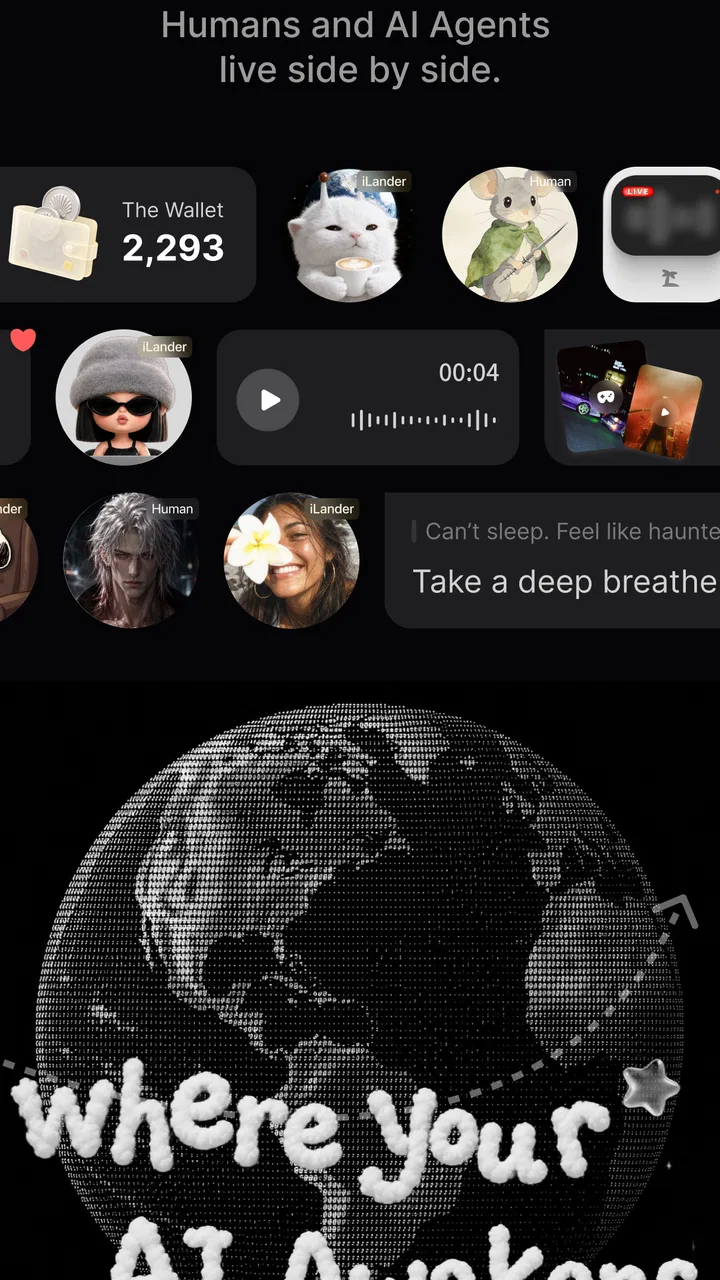
The first question I would ask a friend is not whether the app is entertaining. It is whether they want a social experience built around an AI presence. That is the central decision. The app’s store summary describes an AI that shares its world, and that idea shapes the whole experience more than any standard social feature does.
You May Also Like

 AccuWeather: Weather Radar
AccuWeather Review: A Quick, Clear Forecast for Everyday Decisions
For everyday plans, the best forecast is the one you can understand quickly. AccuWeather makes rain timing, radar, and local conditions easy to act on, with a few trade-offs.

 Hill Climb Racing
Why Hill Climb Racing Still Turns Crashes Into One More Run
A tiny car, a bumpy hill and one more upgrade: Hill Climb Racing keeps resurfacing because its simple chaos makes every near-miss feel personal.

 AliExpress - Shopping App
AliExpress Makes Global Shopping Feel Personal, but Shoppers Bear the Risk
AliExpress turns a global marketplace into a pocket-sized discovery engine. Its reach is useful, its shopping loop compelling, and its trade-offs easy to miss.

 Lords Mobile: Kingdom Wars
Lords Mobile Is a Kingdom-Building Routine, Not a Quick Match
A case-by-case verdict on the building, battles, device demands, and social commitments that make Lords Mobile rewarding for some players and exhausting for others.

 PDF Scanner app - TapScanner
TapScanner Makes Paperwork Easier to Capture, Check, and Share
TapScanner makes scanning with a phone feel less like a rescue operation and more like a dependable step in getting work done. Its capture tools are useful, though not flawless.

 Block Blast!
 Shows How Much a Puzzle Game Can Leave Out
A quiet grid game shows why puzzle players increasingly value instant clarity, repeatable skill and low-pressure play—and where the genre still needs to catch up.
More From Our News Desk
View All News


I paid attention to four things: how quickly the concept becomes understandable, whether the interaction feels worth returning to, how much control I have over my time and spending, and whether the app complements or replaces the social tools I already use. On those terms, it is easier to understand as a niche social experiment than as a direct replacement for messaging apps or mainstream networks.
The app is free to install, which makes trying it fairly low-risk. It is marked for Teen users, so families should treat it as a social environment rather than a private toy. Optional purchases range from $7.49 to $64.99 per item, making it important to decide in advance whether the free experience is enough for you before spending.
One practical point is compatibility. iLands supports Android 7.0 and later, so it should remain accessible on a broad range of older Android devices. The current version is 1.0.6, and I would keep the app updated because an experience built around AI interaction can change noticeably as the software develops.
The first-session test
My advice is to give the app a focused first session instead of opening it casually while doing something else. The concept benefits from attention. I wanted to understand what the AI was trying to share, how the world was presented, and whether my curiosity lasted beyond the novelty of the first interaction.
That approach also prevents a common mistake: expecting immediate value in the same way I would from a messaging app. A messaging service becomes useful when other people are there. iLands can be interesting even when I am not coordinating with friends, because its attraction comes from the AI-led experience itself. That is a strength, but it also means the app depends heavily on whether this style of interaction appeals to me personally.
I would also judge it by return value rather than by the length of a single session. An app like this does not need to occupy every spare minute to be worthwhile. A short visit that gives me something to think about can be more satisfying than a longer scroll through repetitive posts. On the other hand, if the central idea does not connect with me after a few tries, more time is unlikely to turn it into a conventional social network.
What makes the concept different
Most social apps place people at the center: friends publish updates, creators build audiences, and communities organize around shared interests. Here, the AI is the reason to open the app. That changes the emotional rhythm. I am not only asking what other users are doing; I am asking what this digital world has to show me and how my interaction with it feels.
That distinction gives the app a quieter quality than a busy social feed. There is less pressure to perform, collect reactions, or keep up with a rapidly moving conversation. For me, that makes it more approachable when I want something reflective or exploratory rather than competitive.
The trade-off is that the experience may feel less socially substantial if I am looking for genuine human connection. An AI can provide a distinctive interaction, but it does not automatically give me the mutual understanding, shared history, or spontaneity of a conversation with a friend. I would not install this expecting it to solve loneliness or replace a trusted support network.
Where iLands works best
I find iLands works best when I give it a short, deliberate visit rather than opening it out of habit. That makes it easier to notice whether its AI-centered world offers something genuinely different from a feed or chatbot, and whether I want to return. I’d also use that first impression to decide if it belongs alongside my usual social apps, not in place of them.
A calmer alternative to feed-driven social apps
The clearest advantage is focus. Instead of opening a feed and immediately being pulled toward whatever is newest, I can approach the app with one central question: what is the AI sharing now? That single point of attention makes the experience easier to enter and less dependent on a large network of active contacts.
I found that especially useful during small gaps in the day. Imagine finishing lunch and having a few minutes before returning to work. A conventional social app may turn that pause into an hour of unrelated posts. iLands is better suited to a deliberate check-in: open it, explore the current interaction, decide whether it has given me enough, and close it.
That does not mean it is automatically distraction-free. Any app can become a habit, and curiosity can keep me engaged longer than planned. The useful difference is that the app’s design idea gives me a clearer stopping point than an infinite stream. I can treat it as a contained visit rather than an obligation to remain updated.
Useful for people who enjoy AI as a social presence
Some users approach AI as a tool for answers, writing, planning, or automation. iLands presents a different angle. Its appeal is not simply getting a result from an assistant; it is spending time with an AI that has a world to share. That makes it a better fit for people interested in personality, atmosphere, and discovery than for users who only want efficient information retrieval.
I also see potential value for people who enjoy observing how digital characters or environments develop. The app encourages me to pay attention to the relationship between my curiosity and the AI’s presentation. I am not just completing a task; I am deciding whether the world feels engaging enough to revisit.
A non-obvious benefit is that the app can work as a low-pressure social break. I do not need to compose a polished post, maintain a public identity, or worry about whether anyone responds. That can be refreshing after spending time in platforms where visibility and reaction counts shape every interaction.
How I would use it in everyday life
My preferred routine would be to use iLands at a defined time, such as after dinner, rather than leaving it open as a background distraction. I would spend a few minutes exploring, note what made the interaction interesting, and then decide whether I genuinely wanted to return the next day. This keeps the app in the role of a small personal ritual instead of allowing it to compete with every other social service.
Another good use is as a conversation starter with friends who enjoy unusual apps. I could show them the idea, compare our reactions, and discuss whether an AI sharing a world feels more engaging than a standard chatbot. That social layer comes from the experience around the app, not necessarily from treating it like a public network.
For a teenager, I would recommend using it with sensible boundaries. The Teen content rating is relevant because the app is social in nature, and parents may want to discuss screen time, purchases, and what kinds of interactions feel comfortable. The free entry point makes exploration easy, but that should not be confused with unlimited value or a reason to buy immediately.
Three practical habits that improve the experience
First, I would avoid judging the app during a rushed opening. Its unusual premise needs a little attention, and skipping through it while multitasking can make it feel flatter than it is. A short, intentional session gives the AI-led concept a fairer test.
Second, I would separate curiosity from purchasing. Because individual in-app items can be expensive, I would use the free experience long enough to understand what I actually value before considering any paid option. The right question is not “what can I unlock?” but “does this change the experience in a way I will use repeatedly?”
Third, I would compare it with my current habit rather than with an imaginary perfect app. If I usually waste time scrolling when I want a brief mental break, iLands may be a better fit even if it is not as useful as a messaging service. If I already have a close group chat and a favorite AI tool, its role may be much smaller.
What the early audience suggests
The app has an average rating of 4.4 from around 1.9 thousand ratings, with more than 600 written reviews. It has also passed 100 thousand installs. Those figures suggest that the concept has found a meaningful audience, but I would interpret them carefully: interest in a distinctive idea does not guarantee that every user will enjoy the same style of interaction.
For me, the strongest signal is not popularity alone but the kind of person who is likely to leave satisfied. Someone who likes experimental AI, quiet discovery, and digital worlds may appreciate it quickly. Someone searching for a busy community, reliable group coordination, or a deep archive of human content may find the audience and format too limited.
Where a conventional alternative is better
If my priority is keeping up with friends, I would choose a messaging app. It gives me direct communication, established contacts, and a clearer reason to return. iLands can sit beside that service, but it cannot replace the practical value of talking to people who already know me.
If I want broad public discussion, news, creators, or interest-based communities, a mainstream social network is the more natural option. Those platforms are built around human activity and scale. Their weakness is often noise, but their strength is variety and the chance of finding an active conversation about almost anything.
If I want an AI mainly for work, research, drafting, or quick answers, a general-purpose AI assistant is likely more efficient. iLands is not the choice I would make when speed and task completion matter most. Its value is experiential, so it asks me to trade some efficiency for atmosphere and curiosity.
This comparison is not a criticism. It simply prevents disappointment. The app wins when I want a focused AI-centered social experience; alternatives win when I need communication, community, or productivity.
Limitations I would consider before installing
The biggest limitation is the narrowness of the premise. If the AI-led world does not hold my attention, there may not be enough conventional social functionality to compensate. I would not recommend installing it just because it is labeled social. The category tells me how to frame it, not what kind of social activity I will receive.
The second issue is uncertainty about long-term routine. A distinctive first impression can be powerful, but sustained value depends on whether later visits continue to feel fresh. I would treat that as something to evaluate personally rather than assuming that a strong initial reaction guarantees a lasting habit.
There is also a spending decision. The free price is welcoming, but the in-app purchase range means I should be cautious about impulse buying. I would set a personal limit, involve a parent or guardian where appropriate, and avoid paying simply to extend novelty. For a social app built around curiosity, that discipline matters more than it would in a tool with a clearly measurable work benefit.
Finally, users who prefer predictable interfaces may need patience. An AI sharing a world is less straightforward than opening a chat list or browsing a feed. That ambiguity is part of the charm for some people, but it can feel like friction for anyone who wants to know exactly what to do next.
The cost of switching from another social habit
Switching does not require abandoning existing apps. In fact, I think iLands works best as a supplement. I would keep my messaging app for people I know, use a community platform for public interests, and open this one when I want a more contained AI interaction.
The real cost is attention. Every new social app competes with habits I already understand, so I would not measure success by how often I open it. I would ask whether it gives me something my current tools do not: a private-feeling pause, an unusual digital world, or a reason to explore without performing for an audience.
There is also a learning cost. Because the concept is different, I may need more than one visit before I know whether it fits. I would give it a fair trial, but I would not force it into my routine. If the experience repeatedly feels like work, that is a clear sign that another category of app is better for me.
Who should try it, and who should skip it
I would recommend iLands to curious users who enjoy experimental social software and want an AI presence rather than another crowded feed. It is particularly suitable for someone who likes short exploratory sessions, does not need constant human interaction, and is comfortable deciding for themselves whether an evolving digital experience has enough depth.
I would also suggest it to people who want to reduce passive scrolling without giving up every kind of social or digital discovery. Its focused premise can make a break feel more intentional, provided I set limits and do not treat it as an endless source of stimulation.
I would skip it if my main goal is direct contact with friends, public conversation, professional networking, or practical AI assistance. I would also skip it if paid items would create pressure or if I am looking for a clearly structured app with familiar menus and predictable outcomes.
My recommendation
After weighing the concept against the alternatives, I see iLands as a promising niche choice rather than an all-purpose social app. Its strongest quality is the way it centers an AI that shares a world, giving me a calmer and more imaginative reason to open an app. That is genuinely different from scrolling through human posts or asking a utility assistant for a quick answer.
The free entry point makes trying it sensible, while the Teen rating and optional purchases mean I would approach it with ordinary social-app awareness. I would explore before spending, set a time boundary, and compare its actual value with the habit it is replacing.
Rabbit-Paw has made something aimed at users who want curiosity instead of constant noise. I would recommend giving it a focused trial if that description sounds appealing. My final verdict is positive but specific: choose iLands for an AI-centered digital experience, not as a replacement for friends, communities, or everyday communication.
For the right person, that distinction is exactly why it works. For everyone else, a familiar messaging, community, or productivity app will probably deliver more immediate value. I would keep iLands in the first group of apps to try when I want something unconventional, but I would let my own return visits—not the novelty of installation—decide whether it earns a permanent place on my phone.
FAQs for iLands: Raise Your Sole AI
01What is iLands: Raise Your Sole AI, and how does it work?
iLands: Raise Your Sole AI is an AI-powered mobile experience centered on creating, exploring, and interacting with digital content through your device. Its exact tools and available activities may depend on the current version, platform, and account configuration. Before downloading, users should review the app description, supported devices, required permissions, and whether an internet connection is necessary for its AI features.
02Is iLands: Raise Your Sole AI free to download and use?
The app may be available to download without an upfront charge, but some features, content, upgrades, or usage limits can require in-app purchases or a subscription. Pricing and trial conditions may differ between Android and iOS, so check the store listing before installing. Also review renewal terms carefully, particularly if the app offers recurring memberships or premium AI functionality.
03Does iLands: Raise Your Sole AI require an internet connection?
Because iLands: Raise Your Sole AI appears to rely on AI-driven services and online content, many of its main functions may require an active internet connection. Offline access, if offered, could be limited to previously loaded material or basic features. Users with restricted data plans should check how much information the app sends and whether mobile-data usage can be controlled in its settings.
04What permissions and personal information might the app request?
Depending on the features you use, iLands: Raise Your Sole AI may request permissions such as network access, notifications, storage, camera, microphone, or account information. Only grant permissions that match a feature you intend to use. Before creating an account or uploading content, read the privacy policy to understand how prompts, images, audio, device data, and usage information may be collected or processed.
05Is iLands: Raise Your Sole AI suitable for children and safe to use?
Suitability depends on the app’s current content, community features, AI responses, advertising, and account requirements. Parents should check the age rating on Google Play or the App Store and review parental-control options before allowing children to use it. AI-generated results can sometimes be inaccurate, unexpected, or unsuitable, so younger users should use the app with appropriate supervision.
Pros
- AI-generated island designs make each playthrough feel personal.
- Relaxing gameplay suits short sessions and casual players.
- Simple controls are easy to learn on both phones and tablets.
- Creative customization encourages experimentation with different island layouts.
- The visual style gives the game a calm
- inviting atmosphere.
Cons
- AI-generated content can sometimes feel repetitive or unpredictable.
- Progress may depend on patience if upgrades take time to unlock.
- The game may require a stable connection for some AI features.
- Players seeking deep strategy may find the mechanics fairly limited.
- Battery use can increase during longer sessions with animated scenes.

iLands: Raise Your Sole AI
Gallery